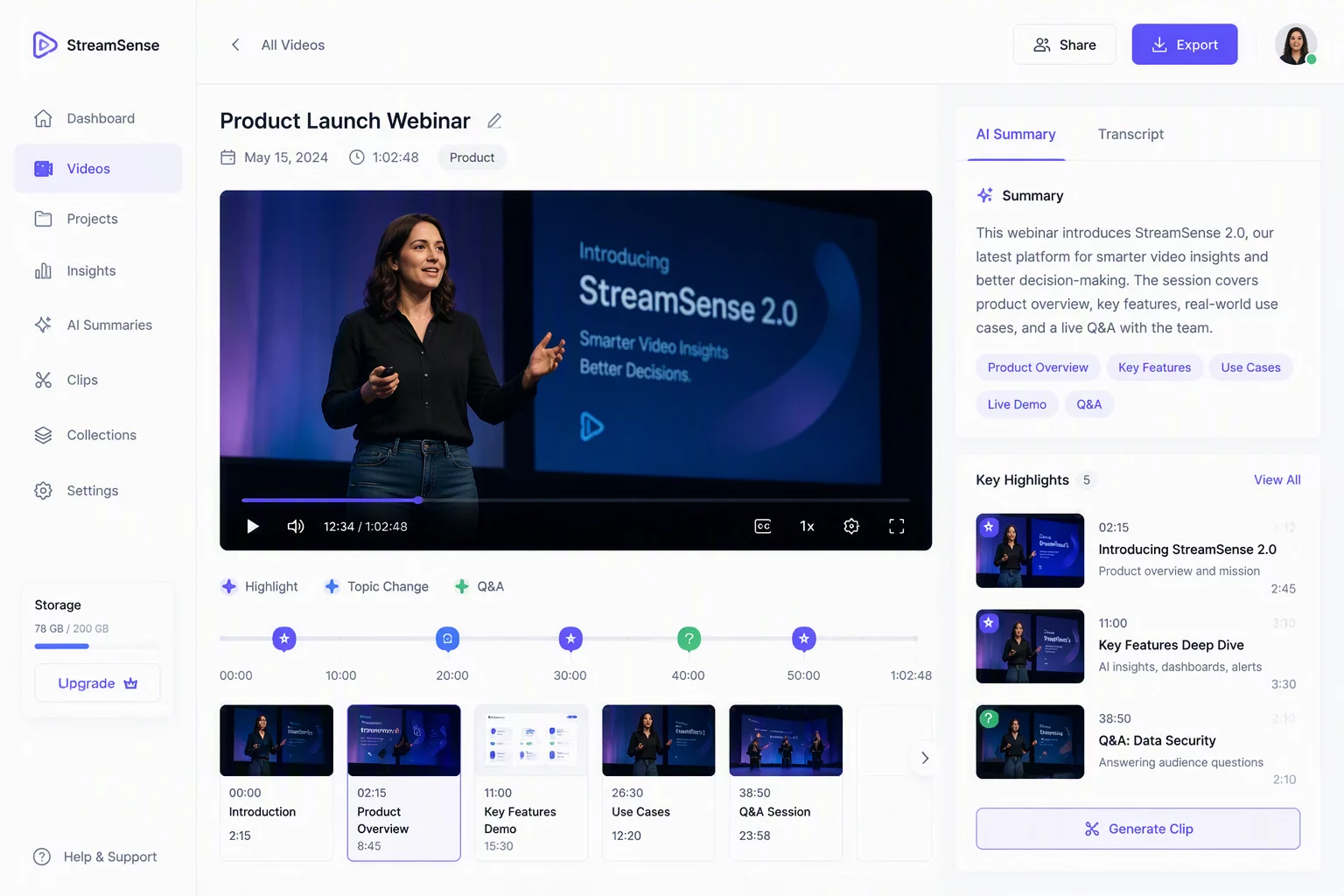
Automated Session Indexing and Visual Digest Generation
The AI Video Recap engine processes incoming camera signals from your connected smartphone and creates concise visual summaries on the fly. Video streams routed into desktop broadcasting or conference applications carry dense information that traditionally requires hours of manual post-production to log. This engine analyses scene composition, speaker presence, slide transitions, and audio cues directly on your local workstation without pushing unencrypted media files to distant servers.
Hardware & Protocol Specifications
Context-Aware Frame Segmentation and Timeline Markers
During continuous recording or live presentation sessions, the recap pipeline segments raw video frames based on motion density and speech cadence. The neural module tags key transition moments, visual slide shifts, and core demonstrations with timestamped markers. Broadcasters and remote professionals receive structured chapters instantly when their session concludes, eliminating the need to scrub through lengthy multi-hour timeline archives.
Enabling Live Recap Extraction
Configure the background recap engine while routing low-latency phone camera video directly into your target desktop application.
- Open the Canno-Studio CS desktop hub and pair your smartphone sensor feed.
- Toggle AI Highlight Logging inside the Output Processing settings panel.
- Define your local export directory for automated markdown summaries and keyframe clips.
Exporting Structured Highlights and Action Items
Once the session terminates, the summary generator packages extracted keyframes, visual bullet points, and high-resolution thumbnail cards into your chosen format. You can export clean Markdown documents, JSON metadata for broadcast automation suites, or short video highlight reels ready for team distribution. The entire recap pipeline operates alongside existing virtual camera drivers, maintaining uncompromised frame rates for your live audience.
Community Notes & Verification
Verified FeedbackDavid
Verified Content CreatorSaves so much time.
Share Verification Observation